
How do you highlight textures through a photo?
Discover how to enhance the texture of your products in photography thanks to the Orbitvu photo studio. Offer a faithful and detailed rendering to your customers to capture attention and encourage them to buy!
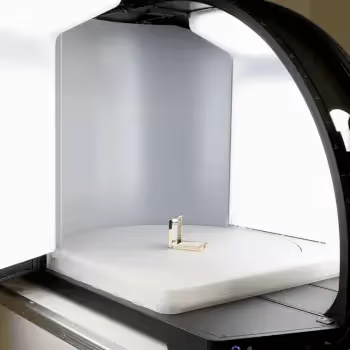
In product photography, every detail counts. For brands of cosmetic And of modus, textures and materials play an essential role in transmitting the quality and authenticity of the product. 👟👗💄
Thanks to modern tools like Orbitvu Alphashot Pro G2, it is now possible to capture these nuances accurately and optimize production flows. 📊
Follow this guide for professional visuals that highlight the textures of your products.
Place and center the product
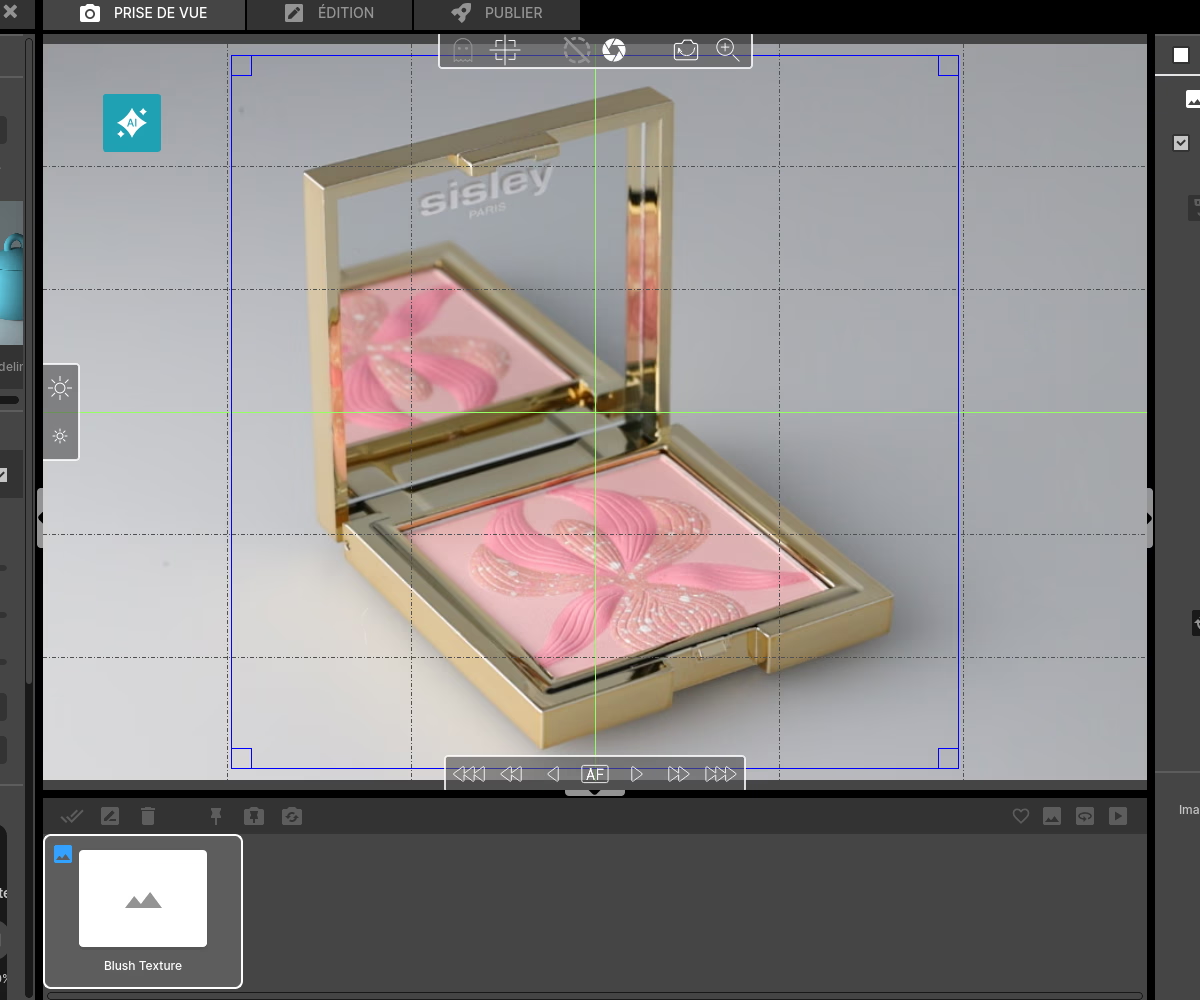
The first step in taking a successful shot is positioning. With the Alphashot Pro G2, this task becomes easy thanks to its built-in laser pointer which shows you the center of the turntable. 📍
Ensure that the surface of the product is clean and free of dust or visible defects, as these details will clearly appear in the image. 🔍
Precise centering guarantees consistency in your shots, especially important for product series or comparative visuals.
Choice of the light template generated by the AI assistant
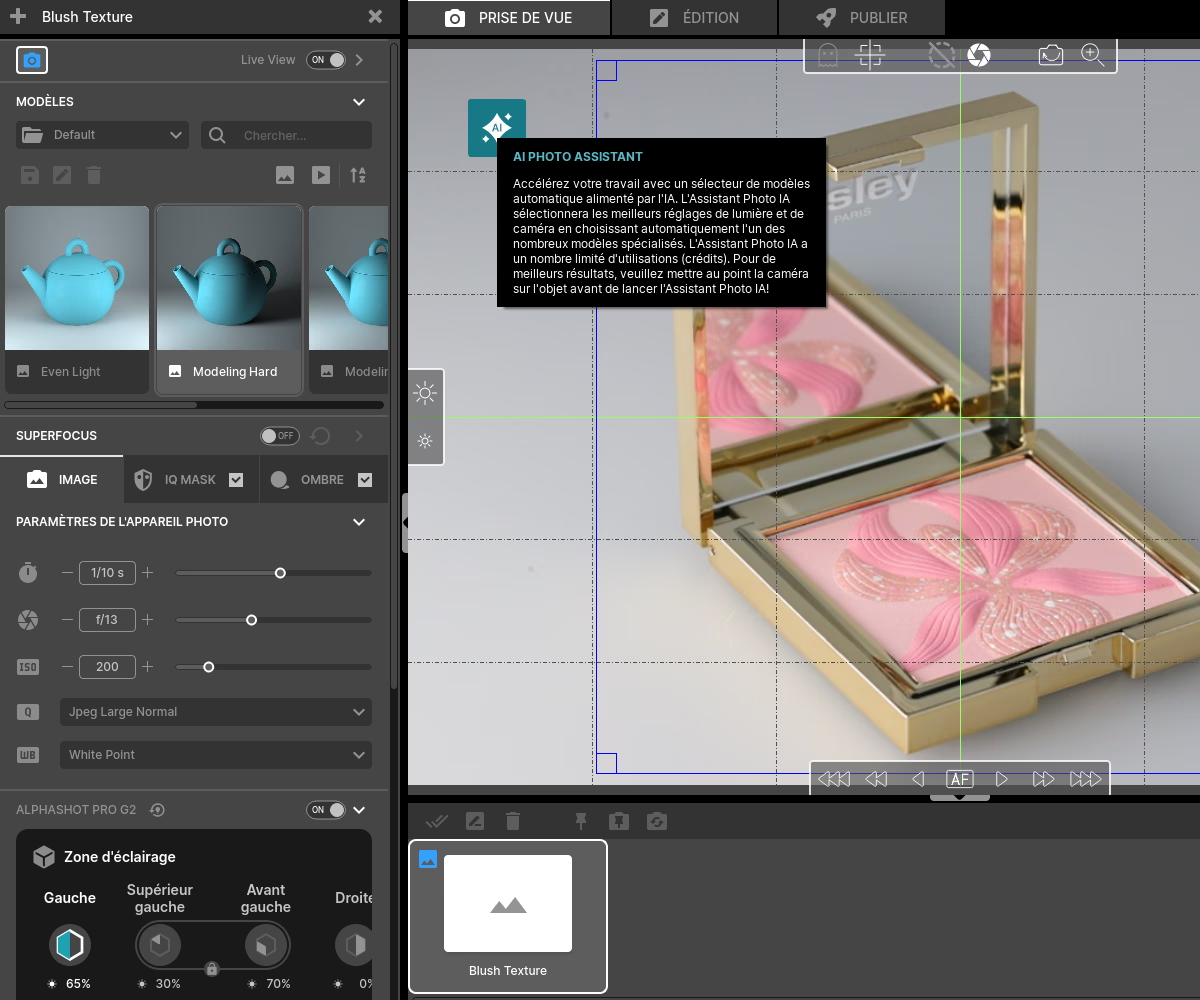
Textures require special attention to lighting. This is where Studio G2's AI Photo Assistant comes in. Click on the“AI” icon and let the assistant analyze your product to suggest several suitable lighting configurations. 🤖
Choose a setting that highlights the details: a low lighting (almost parallel to the studio set) is ideal for bringing out reliefs and textures. 💡
Adjust manually as needed for even more personalized results.
Camera settings
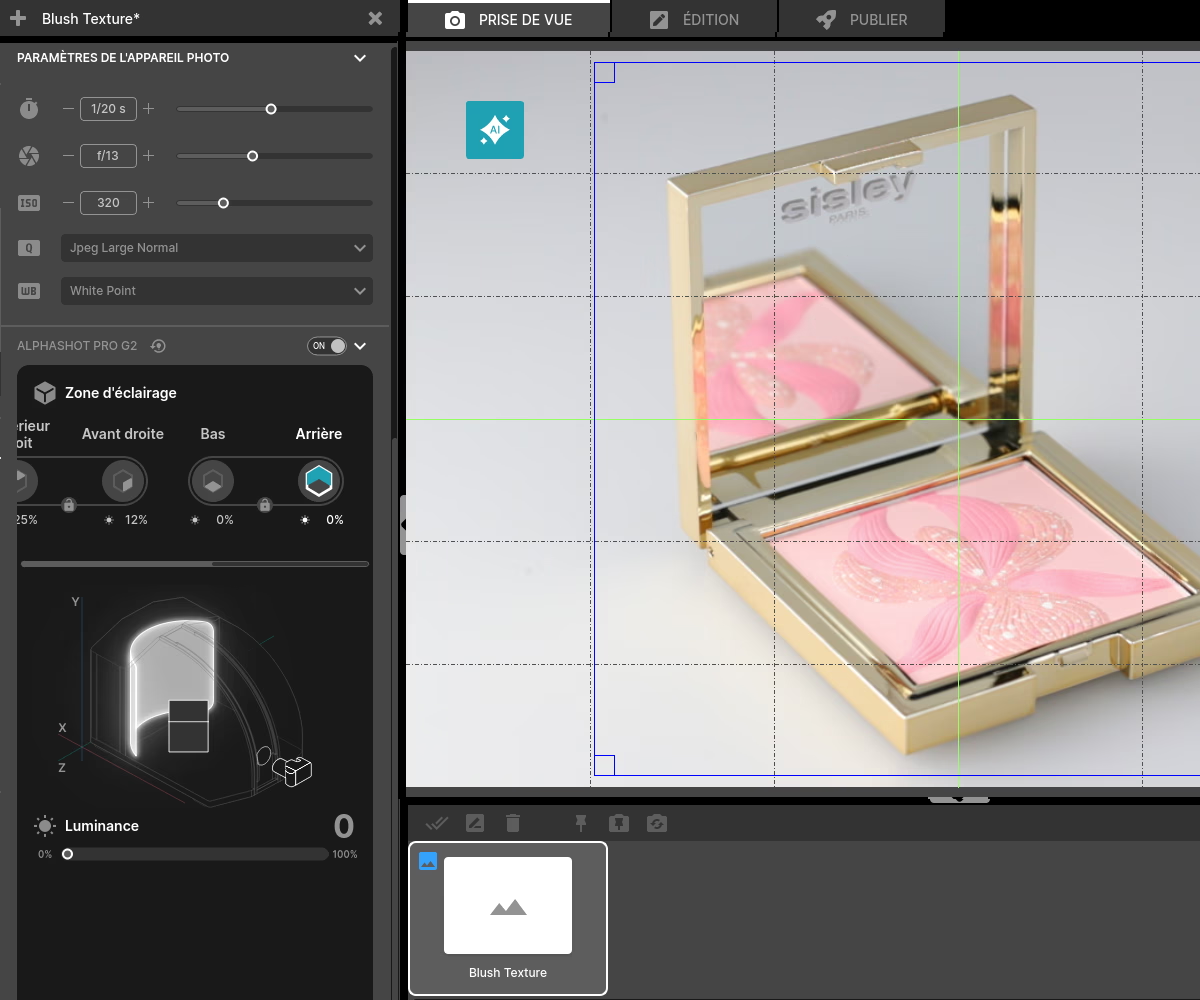
To capture textures accurately, a few specific camera settings are essential: 📷
- Opt for a low aperture (f/8 or higher) for sufficient depth of field, ensuring that all of the texture will be in focus.
- Use a low ISO sensitivity to avoid grain, which is particularly annoying when it comes to fine details.
With Orbitvu photo studios, these settings can be saved in templates, which greatly simplifies your next photo shoots. 🔄
Focus stacking - the first step
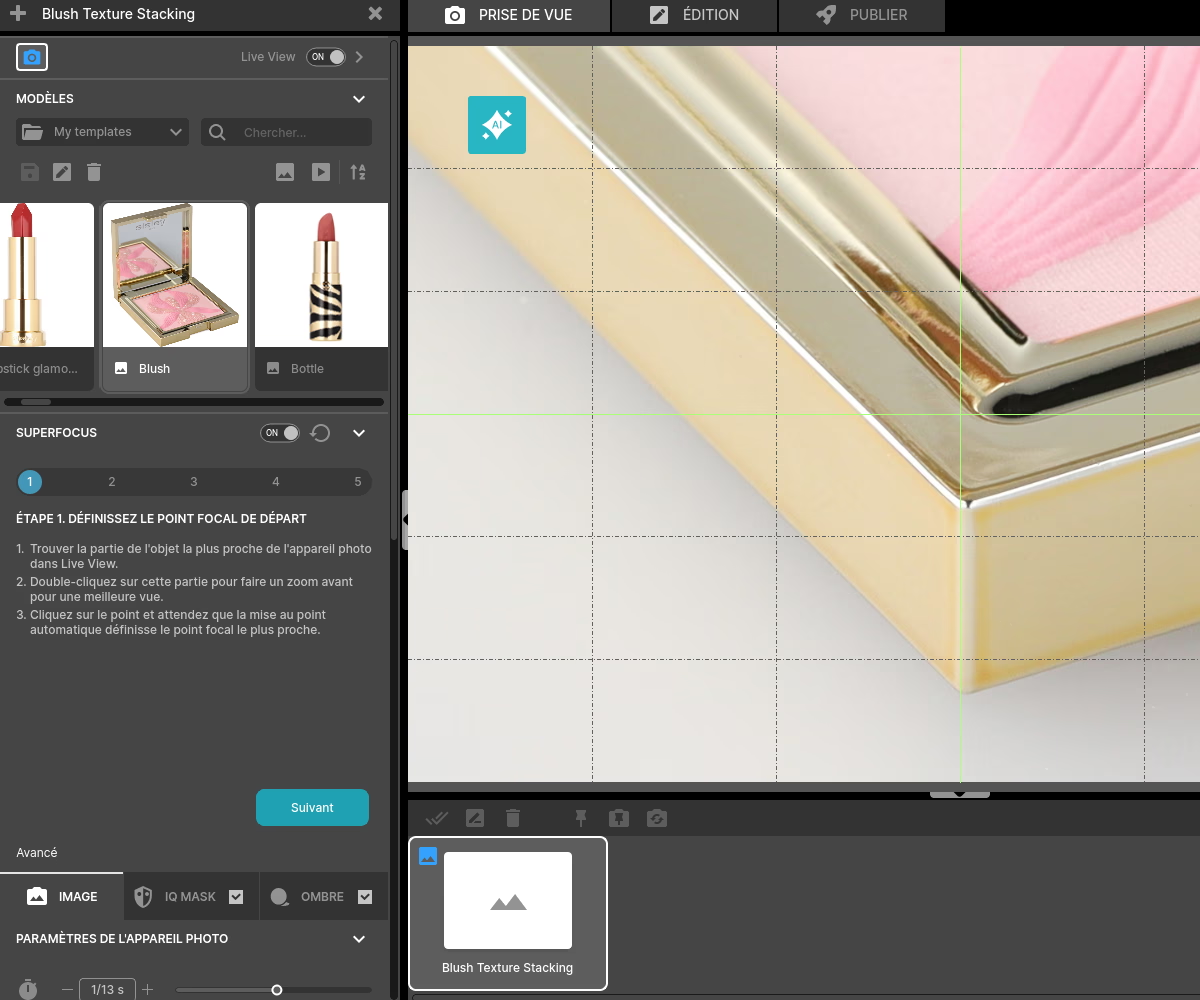
For some products, the technique of Focus Stacking is essential for completely clear photos. 🔍
Activate it Superfocus and choose The Assistant to help you with focus stacking. To get started, double-click on the front of your product (the part closest to the camera). This will make it possible to fix the point of the first focus. 📌
Click “next” and double click on the back of your product (the part farthest from the camera).
Focus stacking - part 2
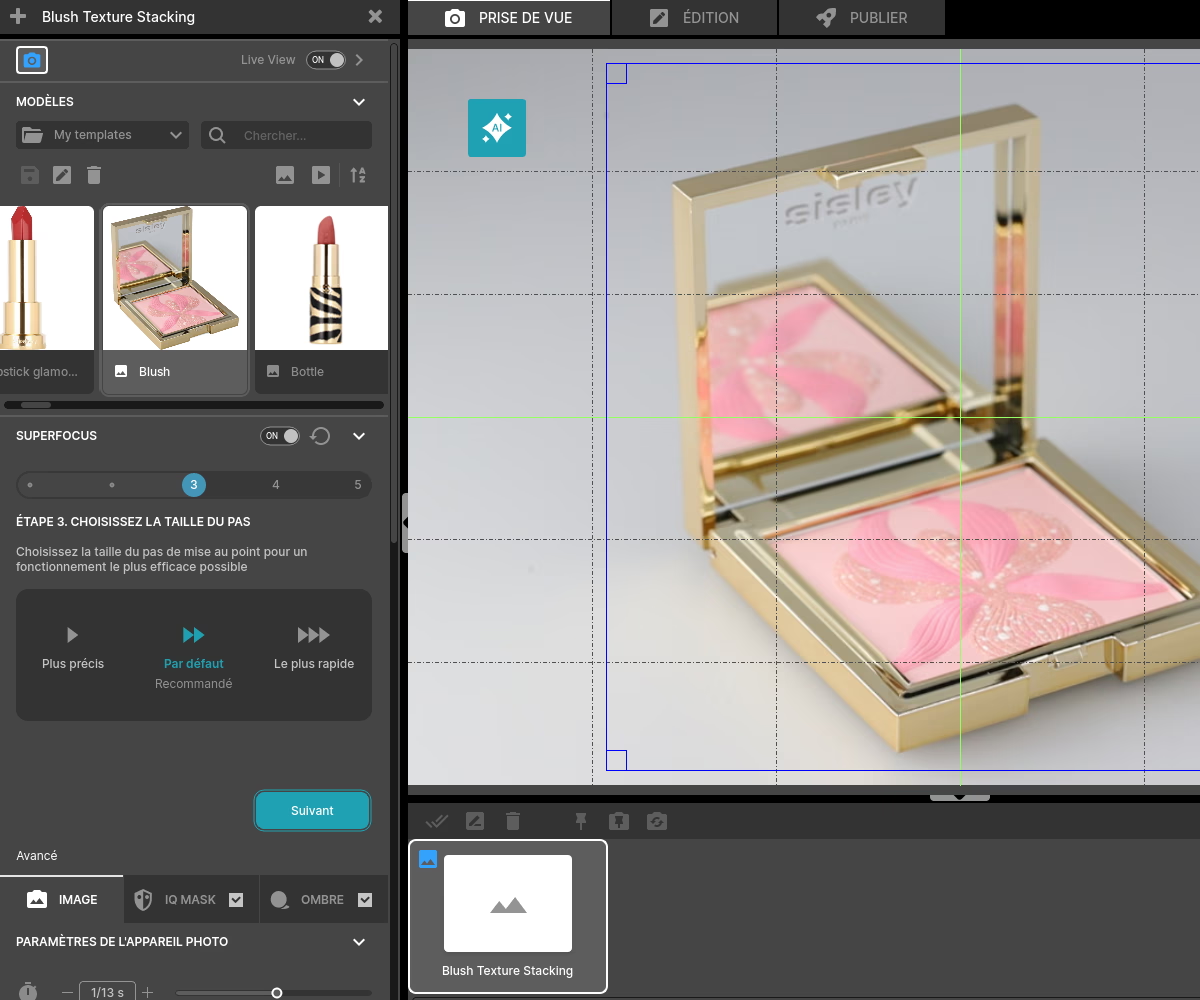
This step allows you to choose whether you want the steps between the focuses to be more or less precise. As a rule, the size of the step”by default” is sufficient and optimal.
Click “next.”
Focus stacking - part three
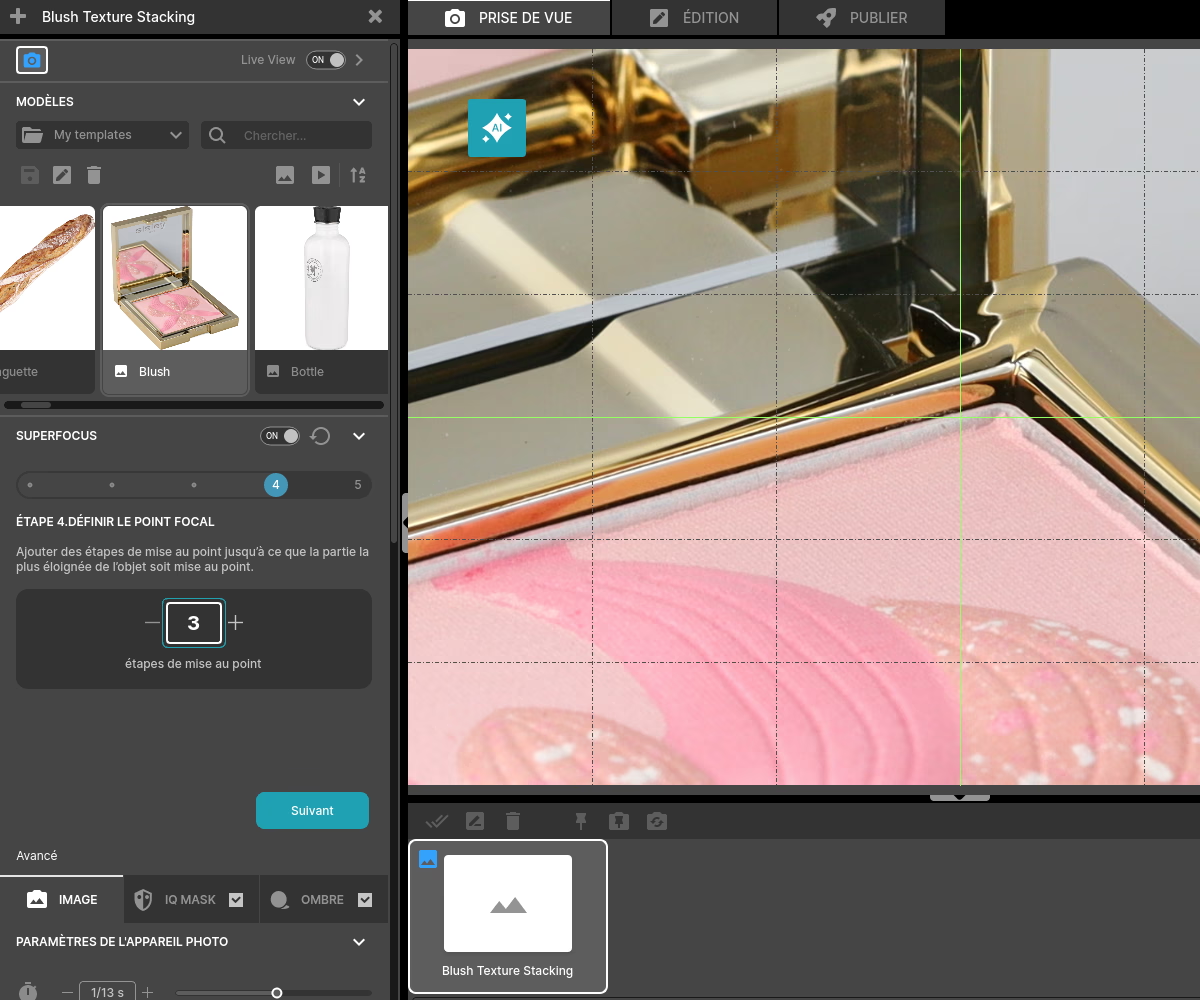
Press the + button little by little until the game is clear. Be careful not to go too far, otherwise the image will become blurry again. 🔍
Click “next.”
Focus stacking - final part
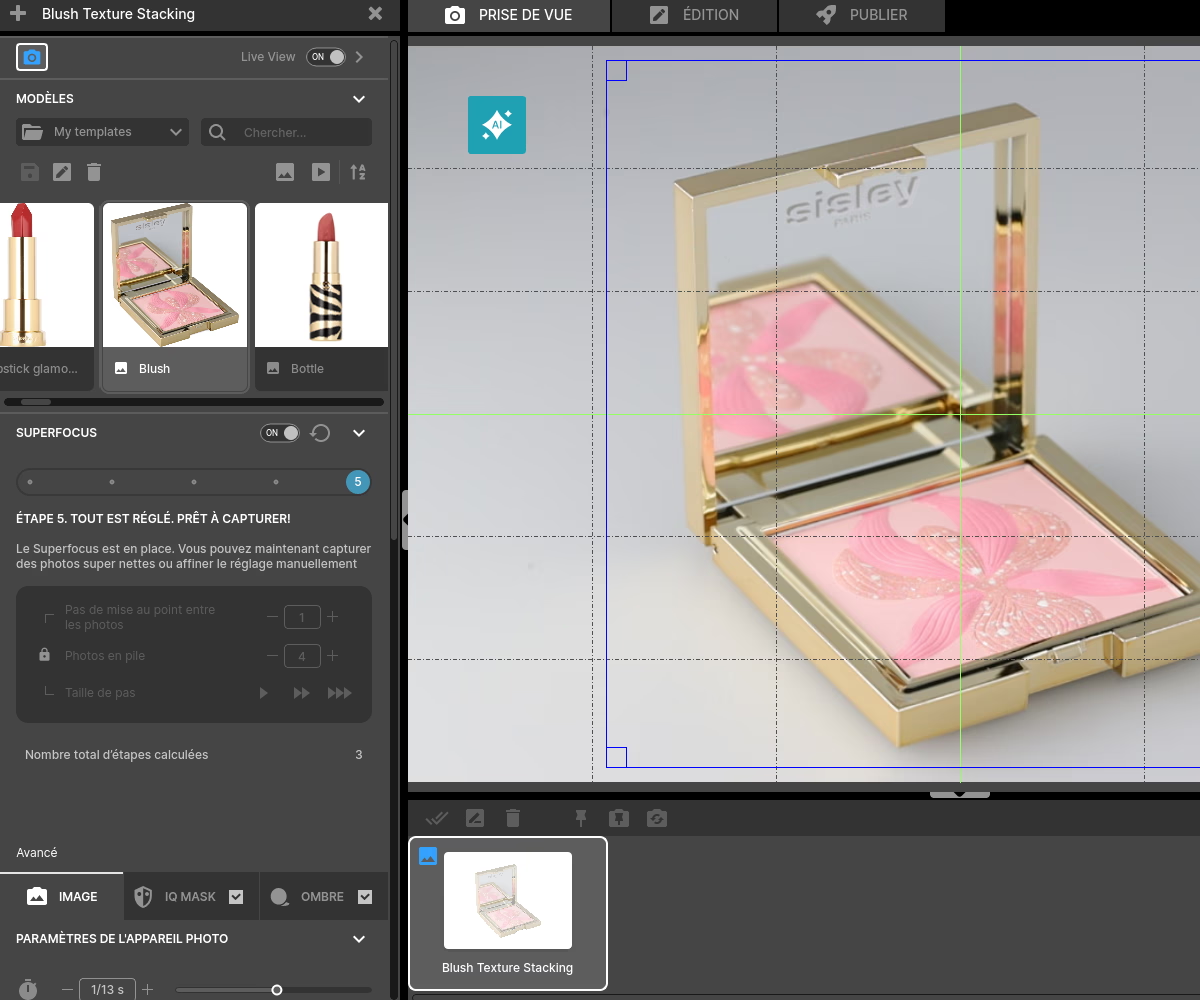
You can now move on to shooting or refine the Superfocus if necessary by clicking on “Advanced” . 🎨
Shooting and close-ups
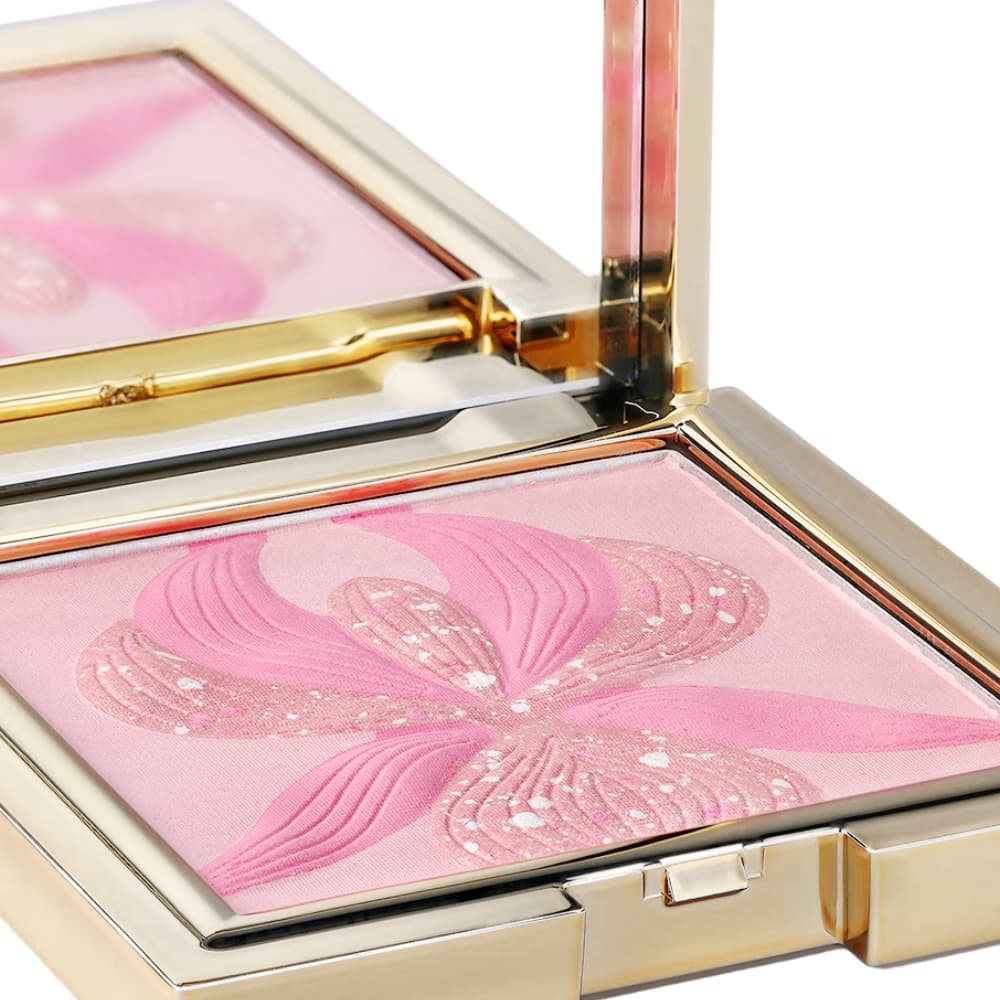
Once the product is ready and the settings are done, it's time to start shooting. 🎬
Get an overview of the product to show the overall context of the product. Also, take close-ups to enhance specific details (such as the satin surface of a highlighter or the reliefs of a packaging).
For an immersive effect, also create 360° animations in order to show the entire product from different angles.
Photo editing with the AutoPolisher
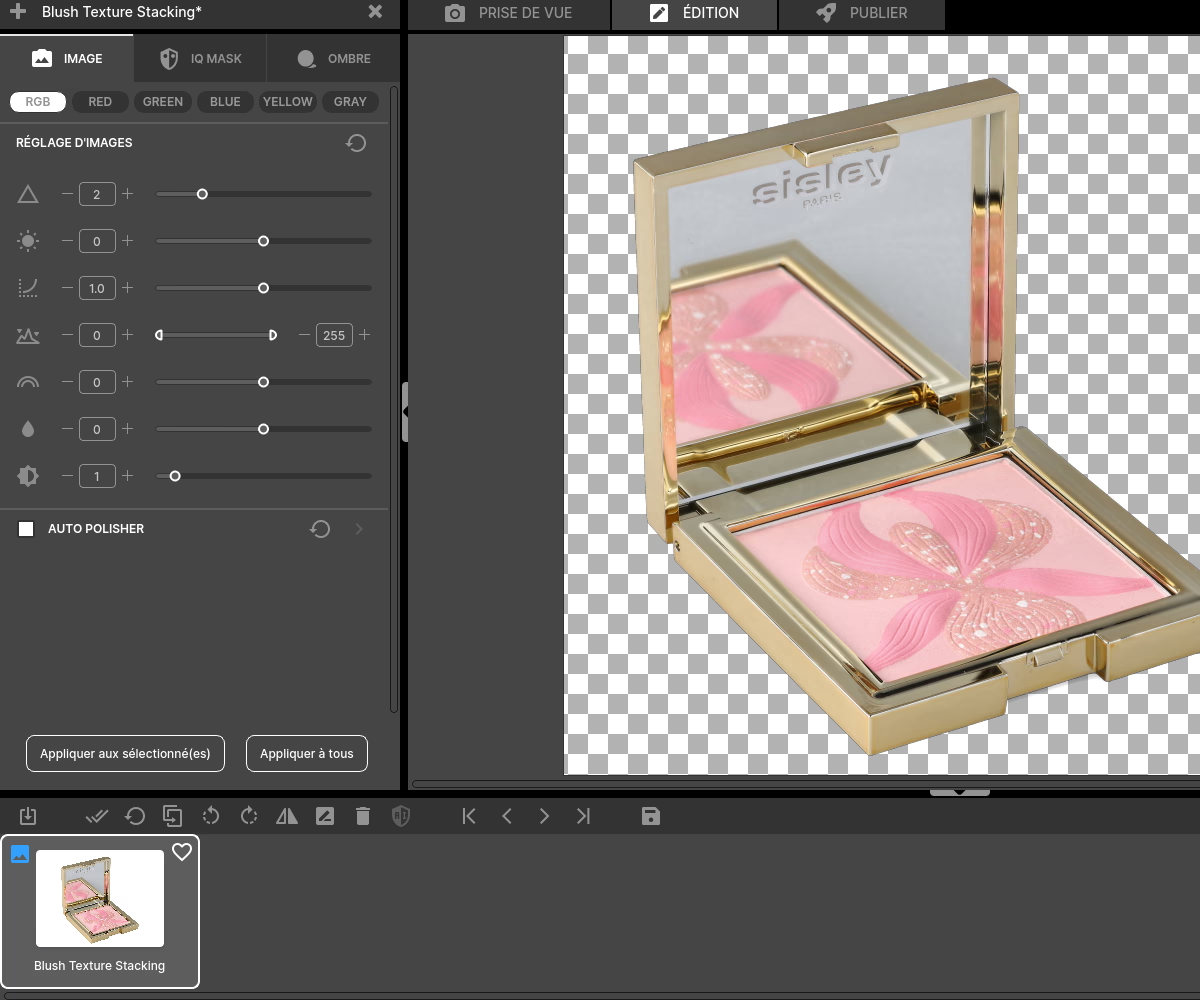
Now move on to post-production. Fortunately, the tool AutoPolisher integrated into the Obrivtu Station software and many other editing options simplify this process:
- Automatically remove backgrounds with theIQ Mask to obtain a professional finish, ideal for use in e-commerce.
- Optimize colors and adjust contrast to further highlight captured textures. 🎨
Format choice and export
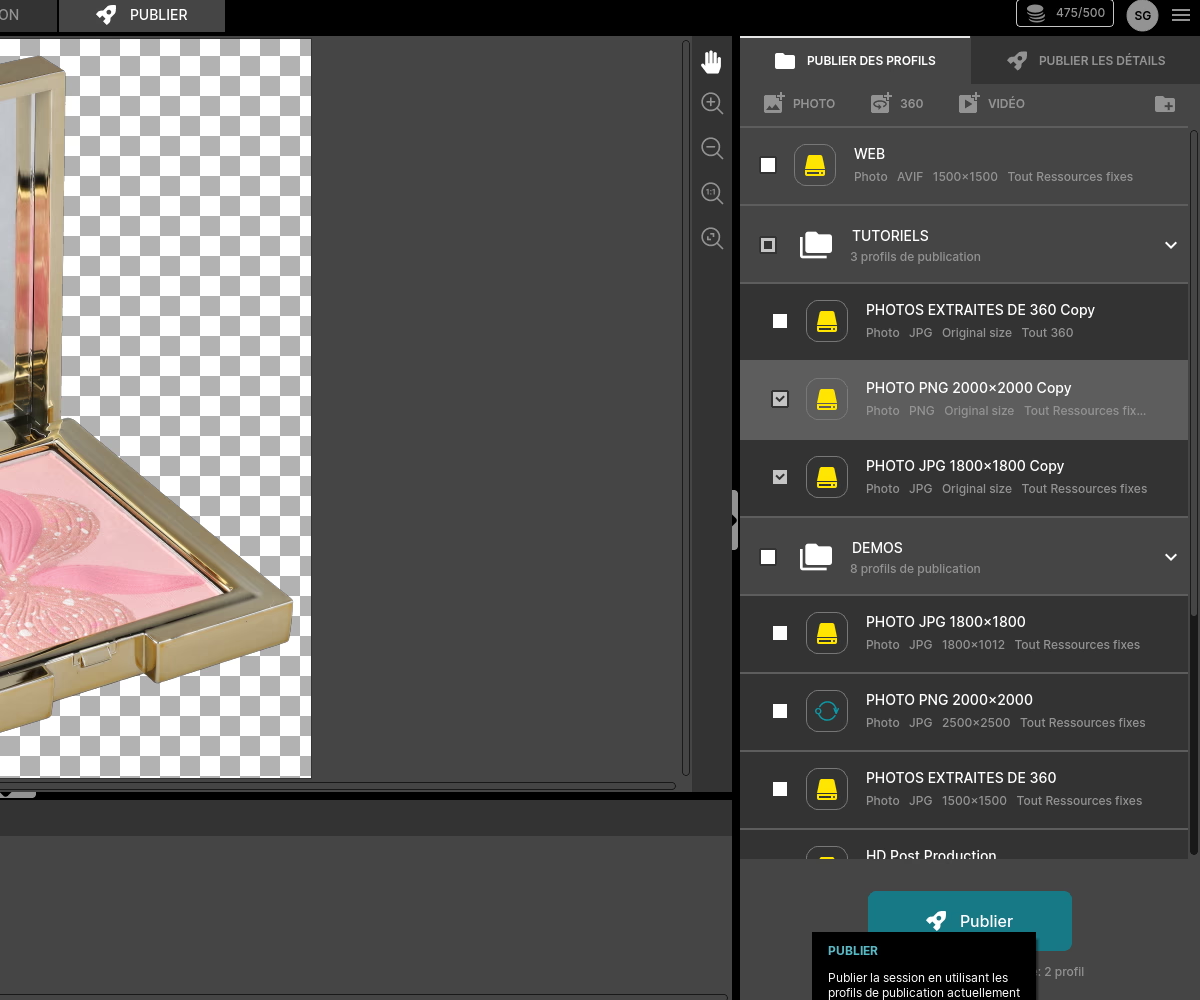
Once the edits are complete, it's time to export your files. Prepare your images in various formats adapted to your distribution channels such as the web, social networks or printed brochures.
You can also export your visuals directly to marketplaces like Shopify or Magento or on your social networks from the Orbitvu Station software. 📤
Also discover how to focus stacking to get clear images of your jewelry.
Frequently asked questions
How can this shooting system improve the profitability of my business?
Can the images taken be used in high-resolution printing?
How does this workflow improve the productivity of an e-commerce team?
What is the average learning curve to master the tool?
Can the lighting be automatically adjusted according to the type of texture (metallic, matt, etc.)?
Need personalized guidance?
Our PackshotCreator experts are available to help optimize your product photography workflow.
Contact us