
Focus stacking for a clear ring photo
📷 Achieve a completely clear image of your jewelry thanks to automated focus stacking with Orbitvu. Steps, settings, tools.
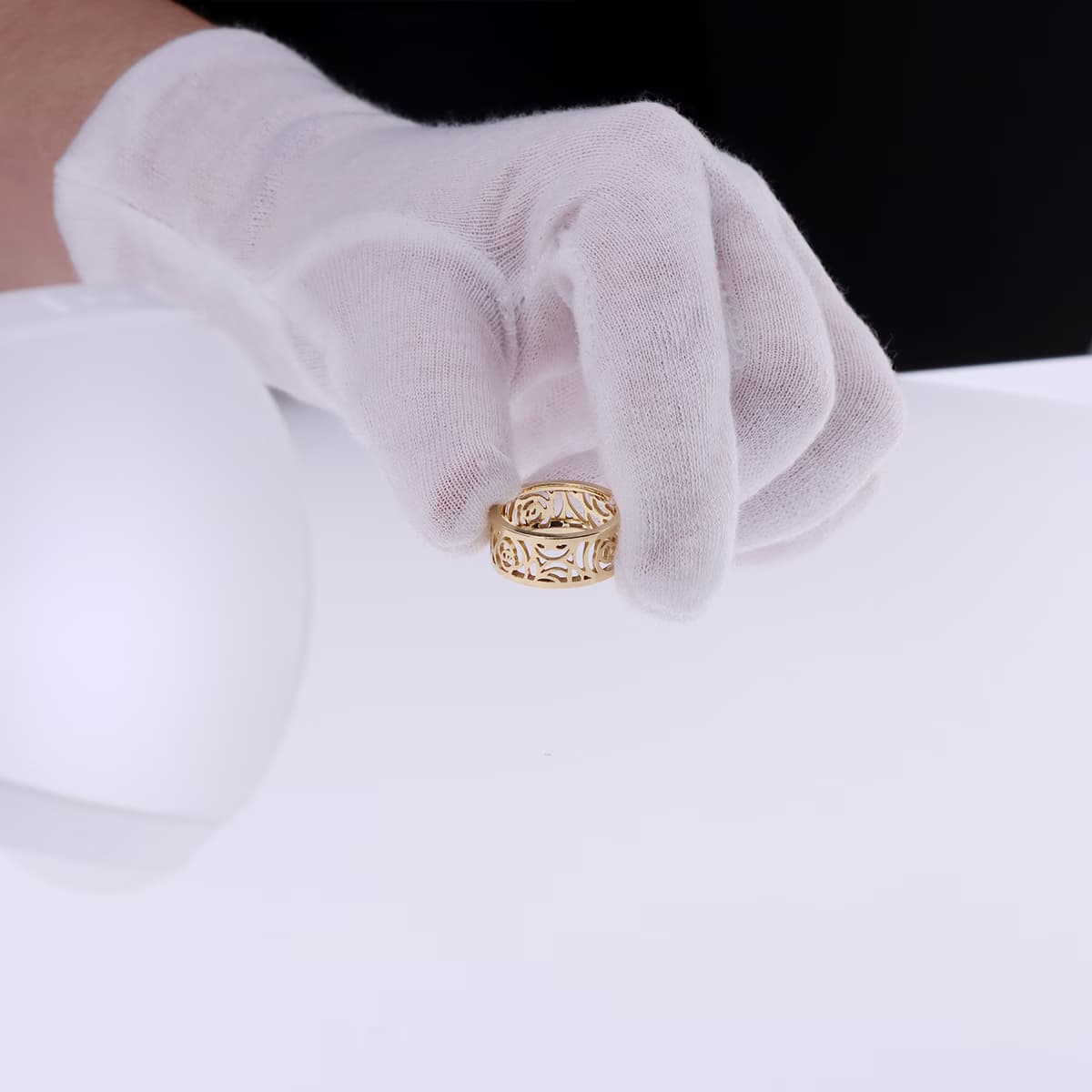
🔍 Focus stacking, or focus stacking, is an essential technique in macro photography of products, particularly suitable for jewelry such as bracelets, rings or cufflinks.
This method allows Assemble automatically several photos taken at different focus distances to obtain a final image completely clear, from the foreground to the background.
💍With this tutorial, we show you how to make a Focus Stacking with the software Orbitvu Station, combined with the Orbitvu photo studio specialized in jewelry photography, Alphashot Micro V2.
Positioning and choice of the template
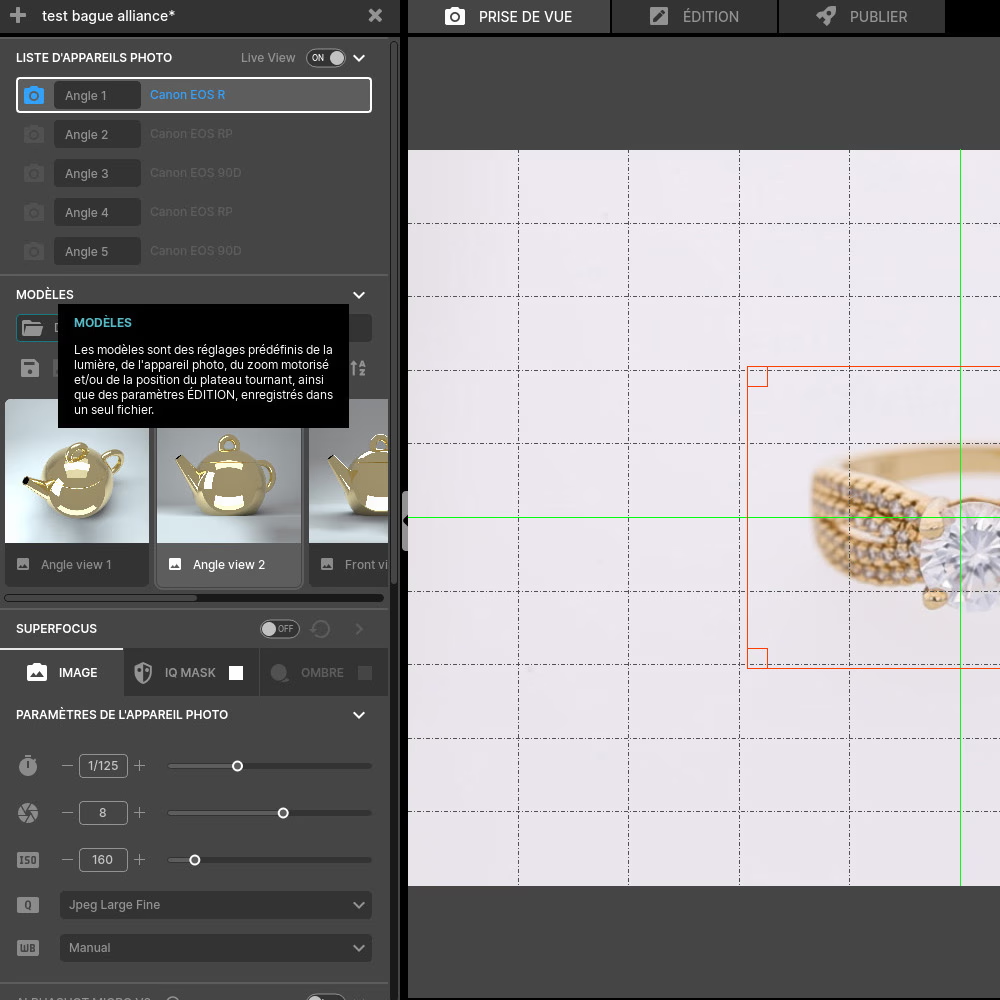
🧼Start by cleaning your ring to avoid any imperfection.
📌 Position it correctly on the center point of the photo studio, or by using a mounting kit for an optimal result.
📂 Once your ring is in place, choose the Template predefined shooting in the software, corresponding to the type of jewelry you are capturing (simple, precious or complex ring).
Light and camera settings
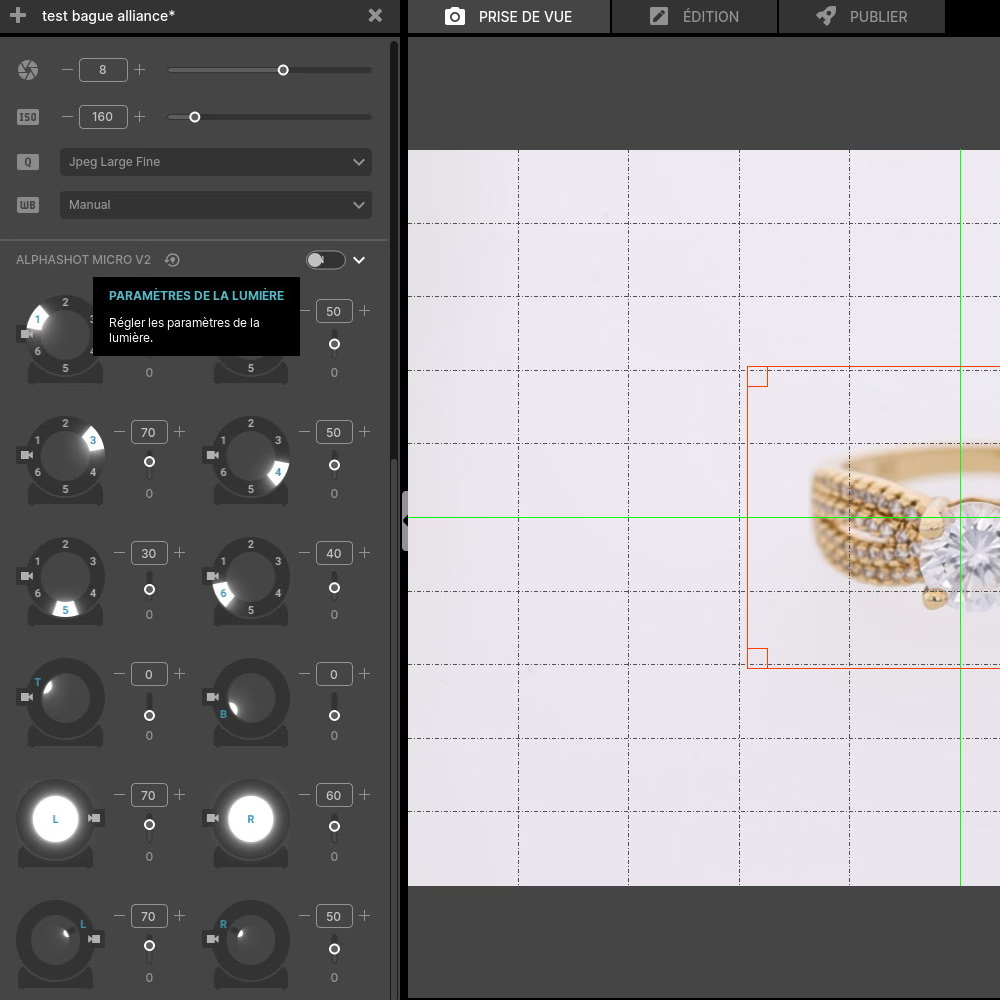
💡 Ensure that the light conditions are optimal to capture the details of the ring without creating unwanted reflections.
📷 We recommend using a macro lens to maximize detail, with a large aperture (f/2.8 to f/4) to obtain a shallow depth of field and a beautiful sharpness of your jewelry.💍
⚡To make your image as clear as possible, we recommend that you adjust the value ISO between 100 and 200 In order To avoid noise.
⚖️La white balance should be adjusted according to your preference and your light environment.
Also adjust thelighting of the studio depending on the finish of the jewel (matt or shiny).
For more precision, check out our guide to camera settings for jewelry photography.
Using Superfocus (Assistant)
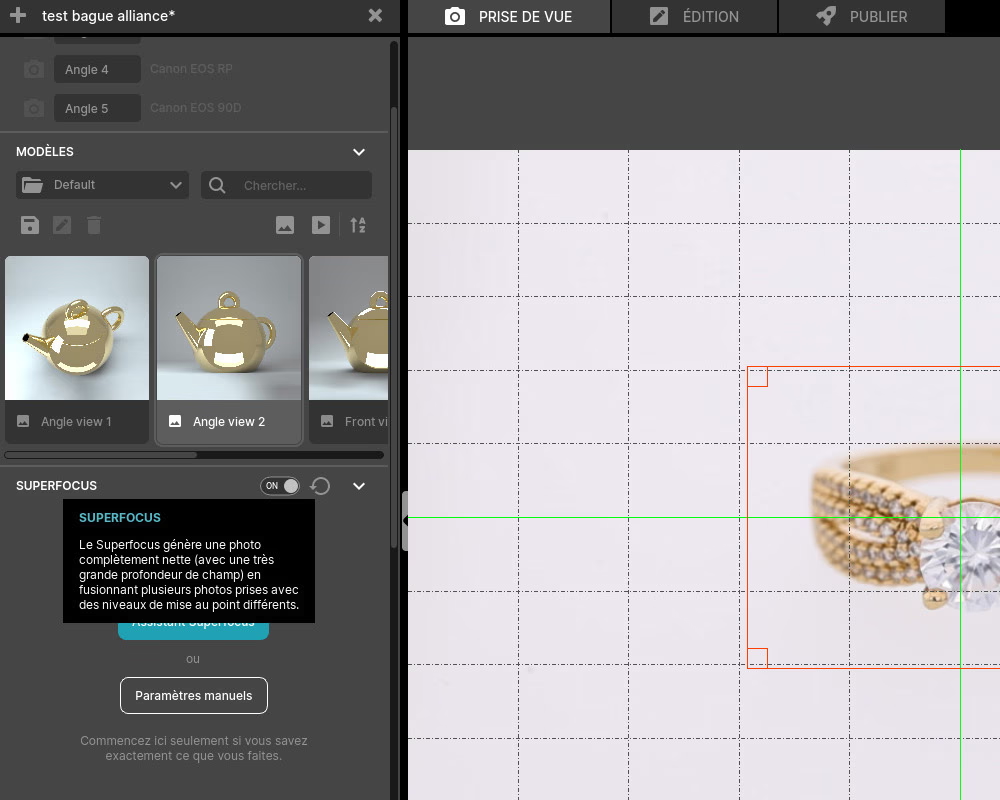
Click on the Superfocus Wizard from the Orbitvu Station interface.💻
This assistant will guide automatically the different stages of stacking by suggesting the ideal parameters for focus stacking.
1st stacking stage - focus on the front area
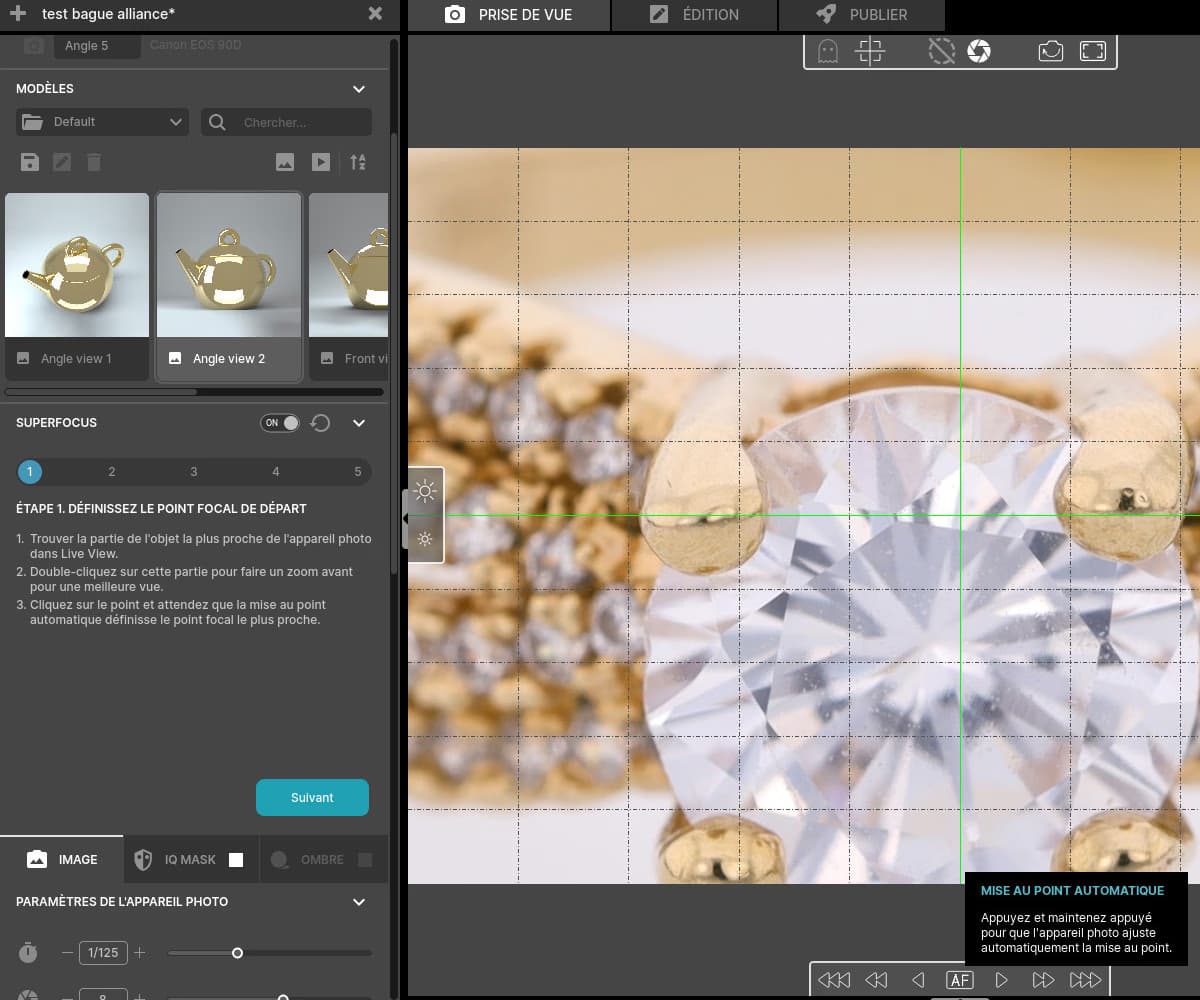
🔍 Start the sequence by zooming in and focusing the first time on the front part of the ring, that is, the first plan.
This will allow you to enter all precise details of the areas closest to the objective.
2nd stacking stage - focus on the back area
Move the focus gradually to rear part of the ring.
🔍 Zoom can be used here to make sure fine details, like carvings or stones, are captured accurately.
3rd stage of stacking - set the size of the steps between the focuses
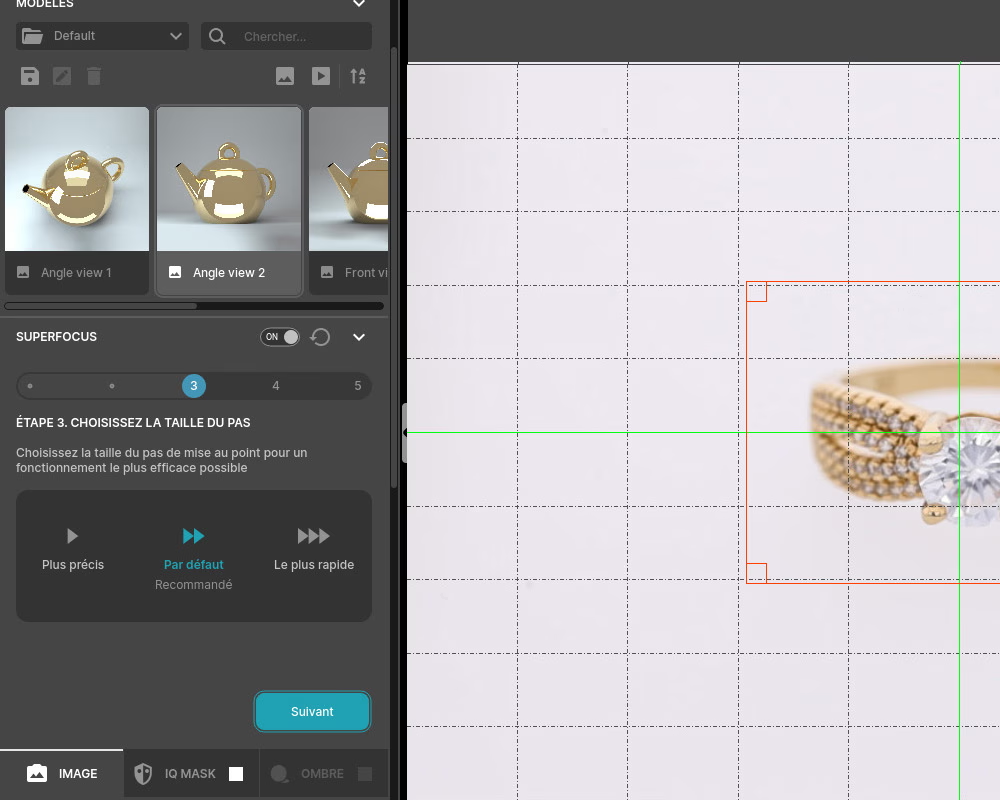
Configure the Step size (or increments) between the different shots.
One small step size is recommended for rings that are complex or have fine details. This ensures that all areas of the object are perfectly clean.
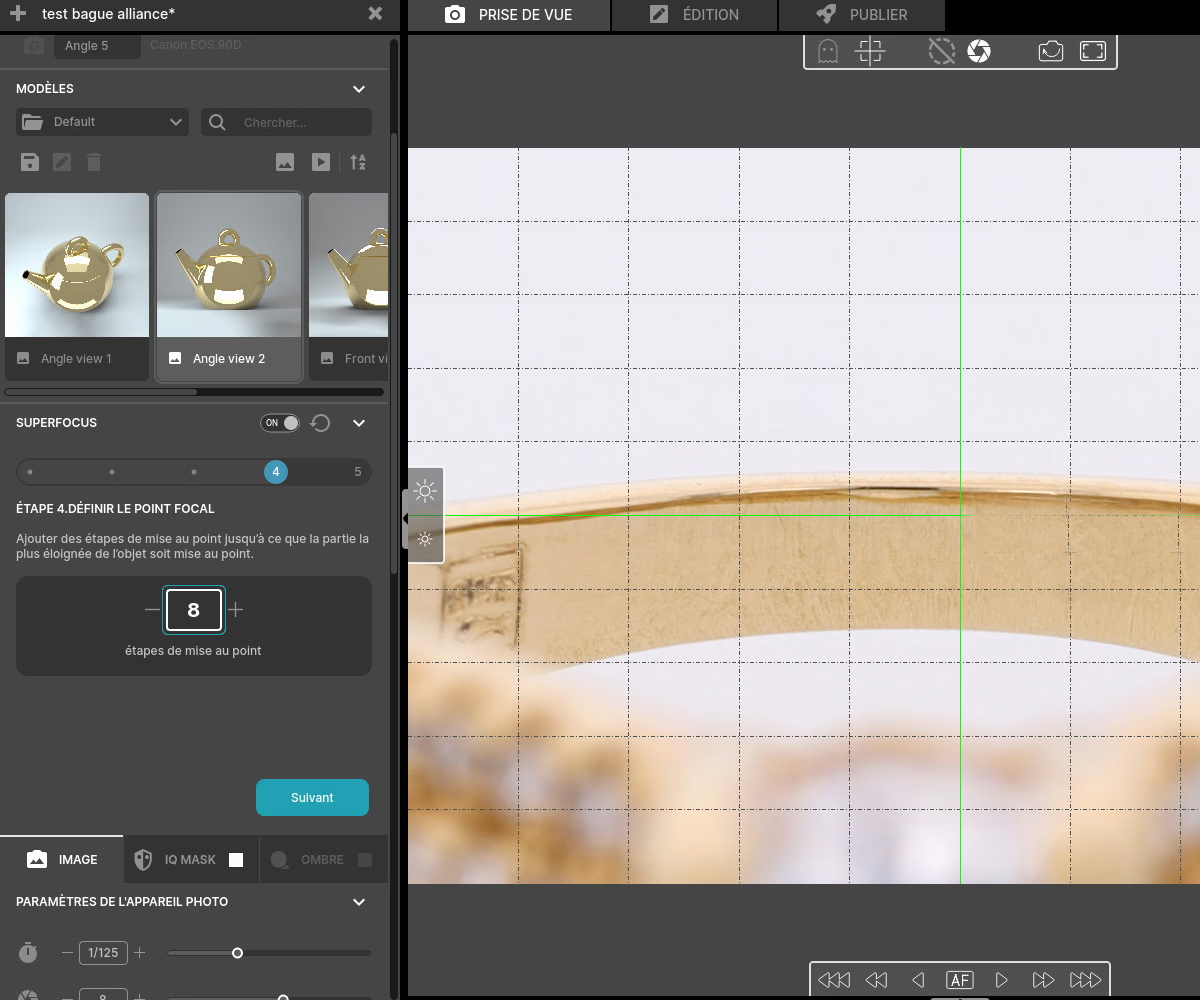
4th stage of stacking - number of steps for focusing
Determine the number of steps to complete for full focus stacking. The number of steps required Depends on the opening of your objective and of the complexity of the object.💍
The larger the aperture, the shallower the depth of field, and the more you'll need intermediate photos to ensure perfect sharpness.
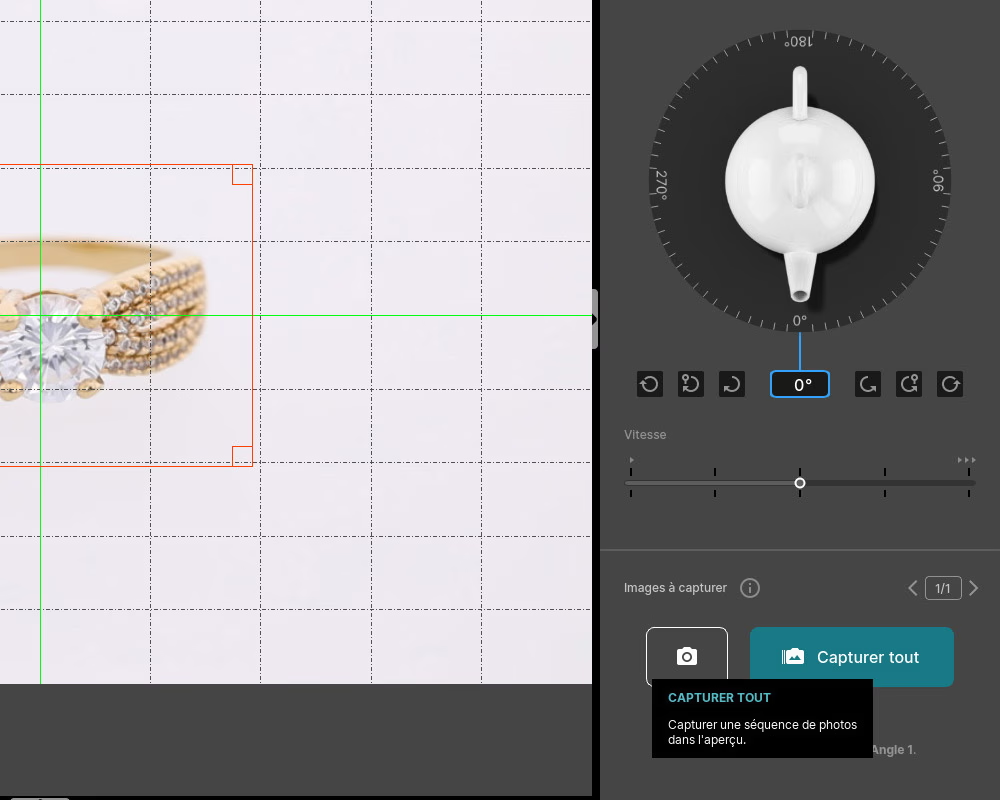
Click “Capture All” to start shooting.🎬
Image editing and retouching
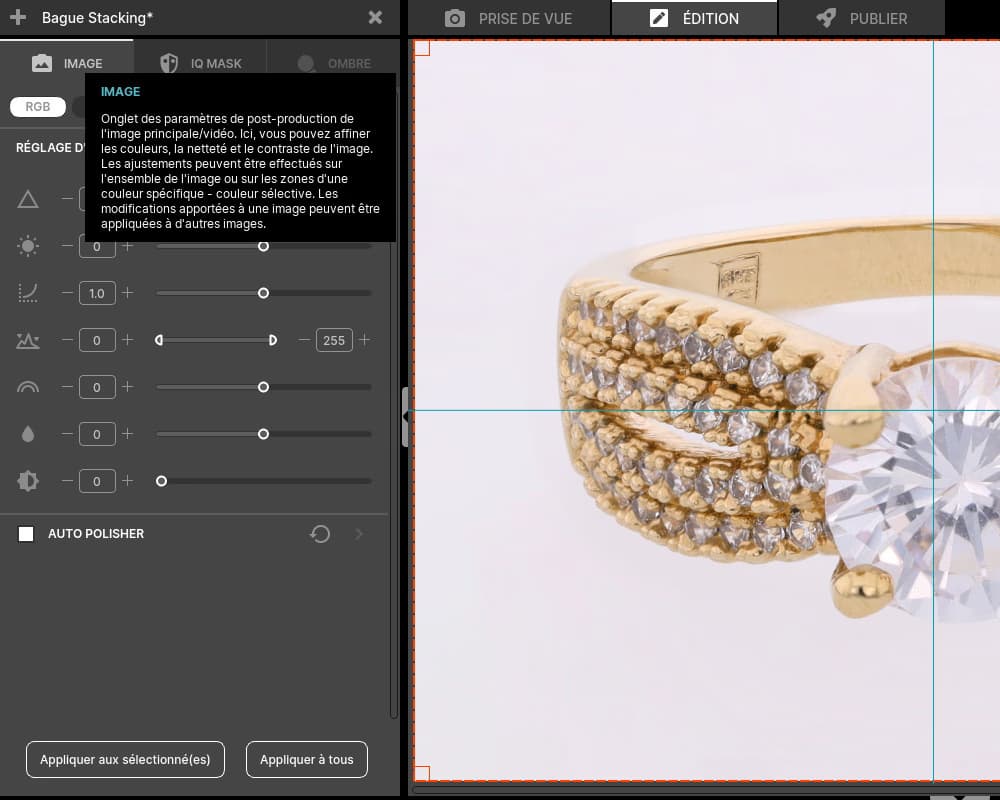
Once the images are compiled, you can move on to editing. 🎨
The software Orbitvu Station offers several options, such as adjusting colors, brightness, contrast, contrast, fine details, and many other enhancements to refine the image and achieve the desired result, while remaining faithful to the jewel. 🎯
Exporting images with various formats
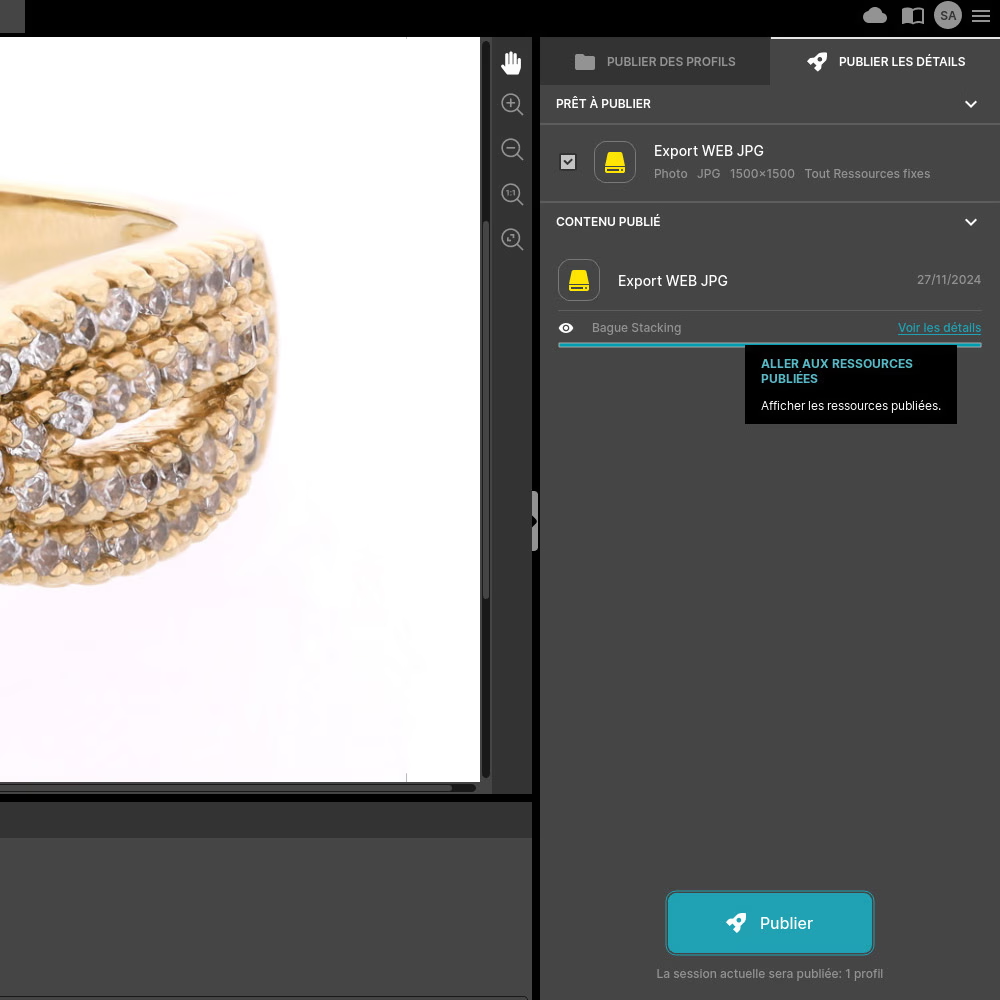
Once the editing is complete, select the export format (s) according to the intended use, such as JPEG, TIFF, or PNG if you want to keep high image quality and the possibility of transparency.
📂 You can also create a Template for these settings in order to Save time for future exports.
📤 Finalize the export, and your ring design is ready to be used!
Frequently asked questions
How to avoid unwanted reflections when shooting?
Why is built-in editing software essential for ring photography?
What are the advantages of using focus stacking compared to simple shooting?
How does focus stacking reduce post-production costs?
What financial benefits can you get from training in jewelry photography?
Need personalized guidance?
Our PackshotCreator experts are available to help optimize your product photography workflow.
Contact us