
Consistent photos: boost your product consistency
⚙️ Gain consistency with Orbitvu. Get aligned visuals for your entire product collection.
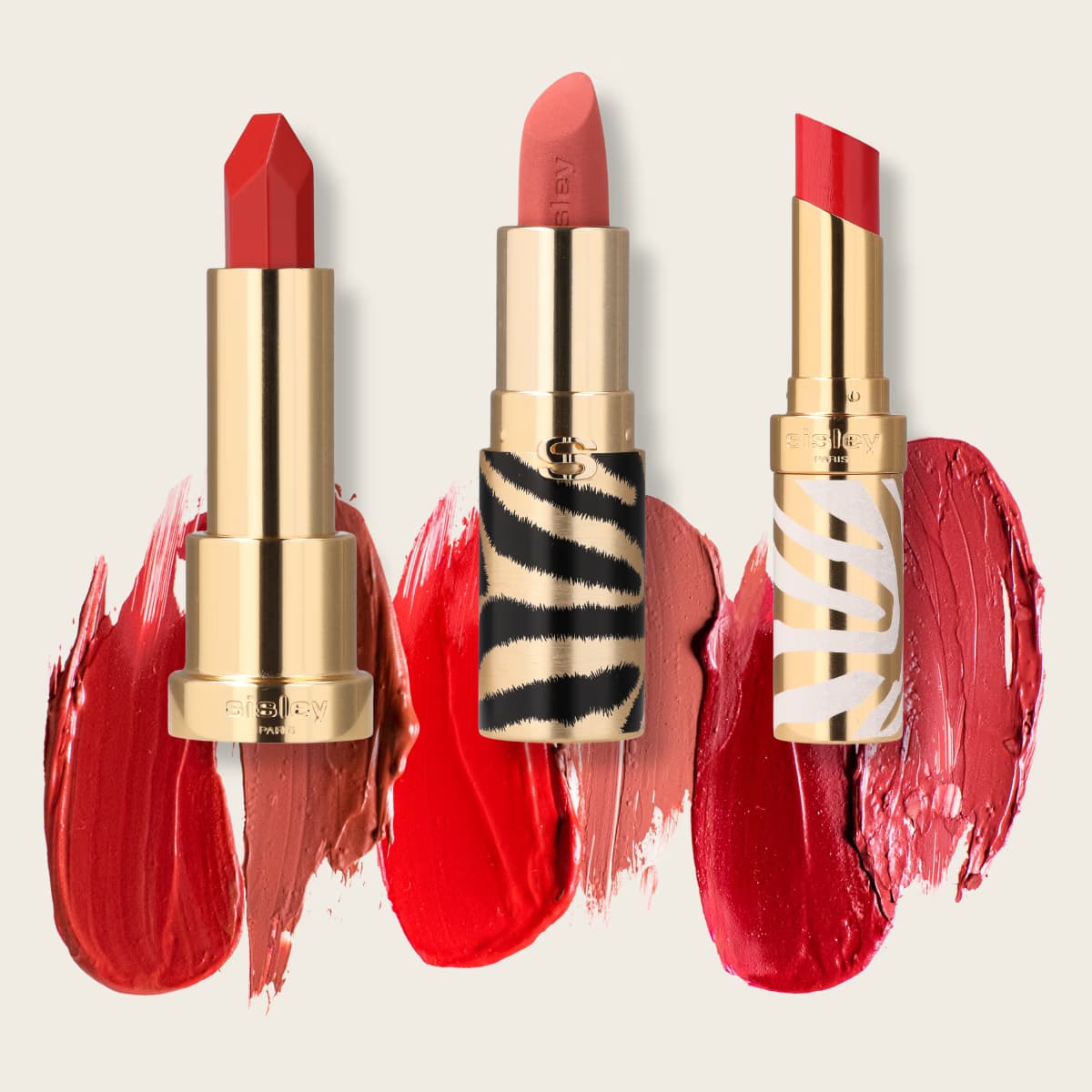
In the field of e-commerce, homogeneous and professional visuals are strategic elements that strengthen the credibility of your brand and promote sales. 📊
But how do you ensure perfect consistency when working on multiple products, with different shapes, sizes and textures? Thanks to technologies such as those of Orbitvu, it is now possible to industrialize visual production while obtaining an impeccable result.
In this article, we guide you step by step to get consistent photos of an entire product collection, using the example of three lipsticks. 💄
Create a session on Orbitvu Station
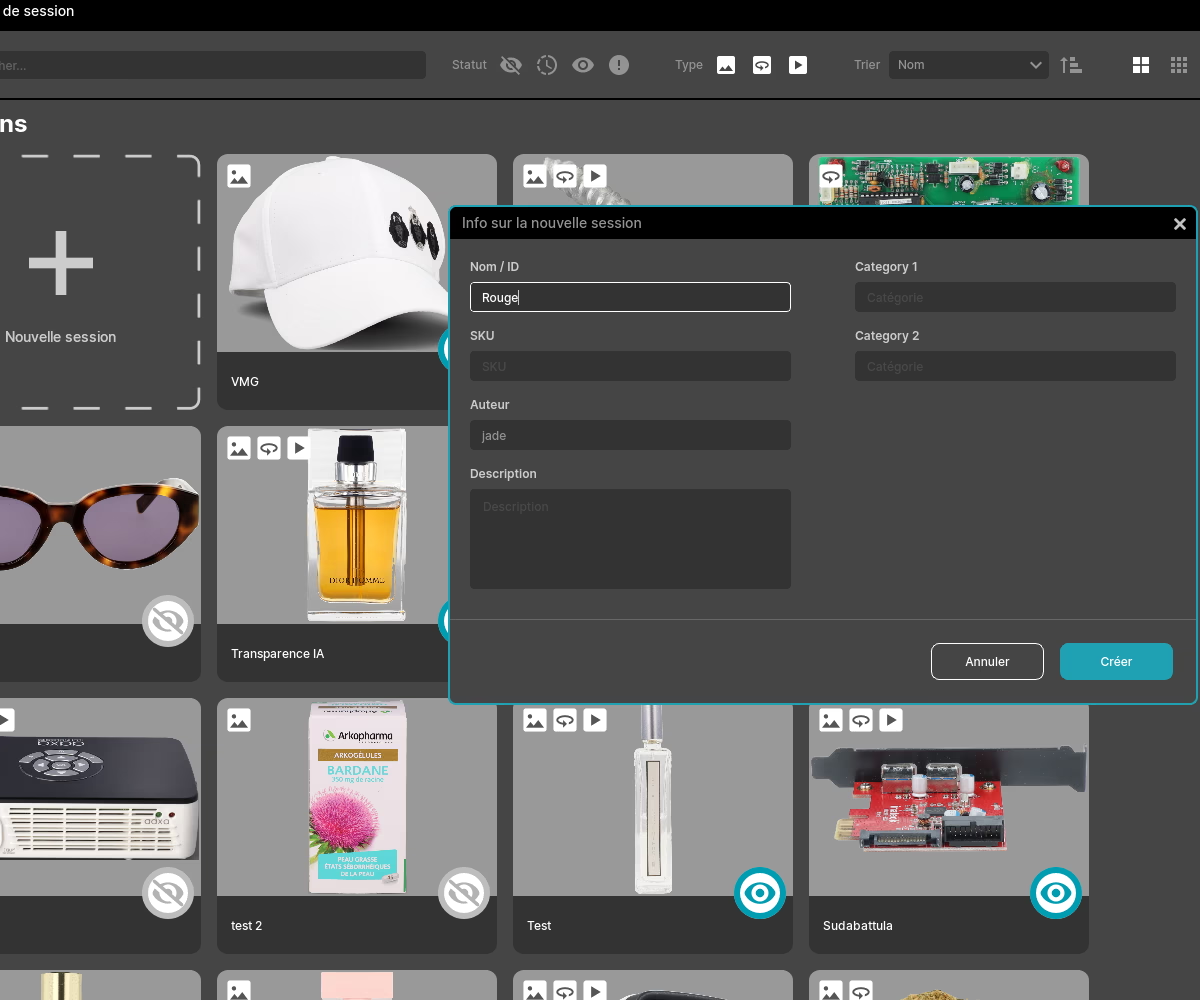
First, we'll start by setting up a dedicated session for your product in the Orbitvu Station software. Enter information specific to your project, such as the name of the collection or the dimensions of the products you are going to photograph.
The tool offers integration with barcode scanners to automatically identify products, making it even easier to manage your files. 📂
Focus the product and activate the AI assistant
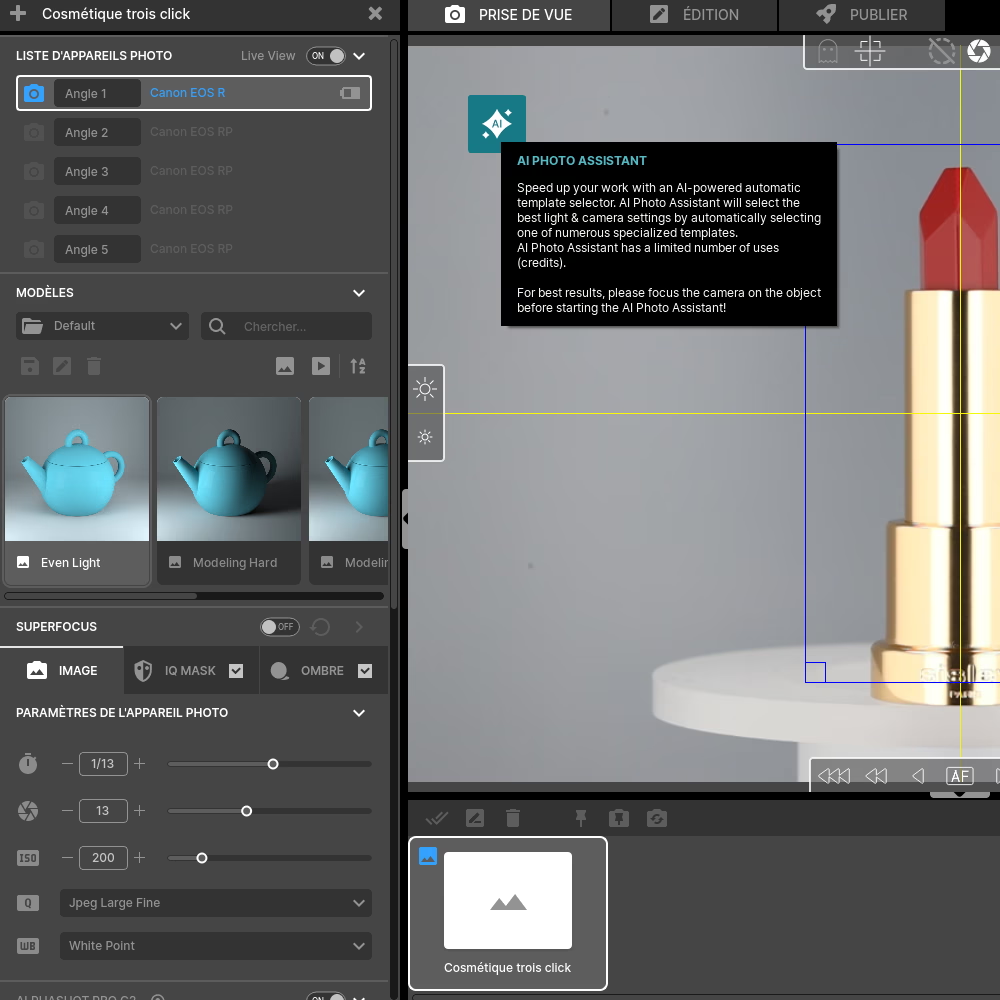
Once your session is created, place your lipstick in the center of the photo studio, using the built-in laser for precise positioning. 📍
You can also use your screen to check that your product is well centered and in front of the camera. 💻
Then, activate Orbitvu's artificial intelligence by clicking on the AI icon. The AI assistant analyzes the product in order to suggest the best lighting parameters. 💡
Shooting and editing the photo
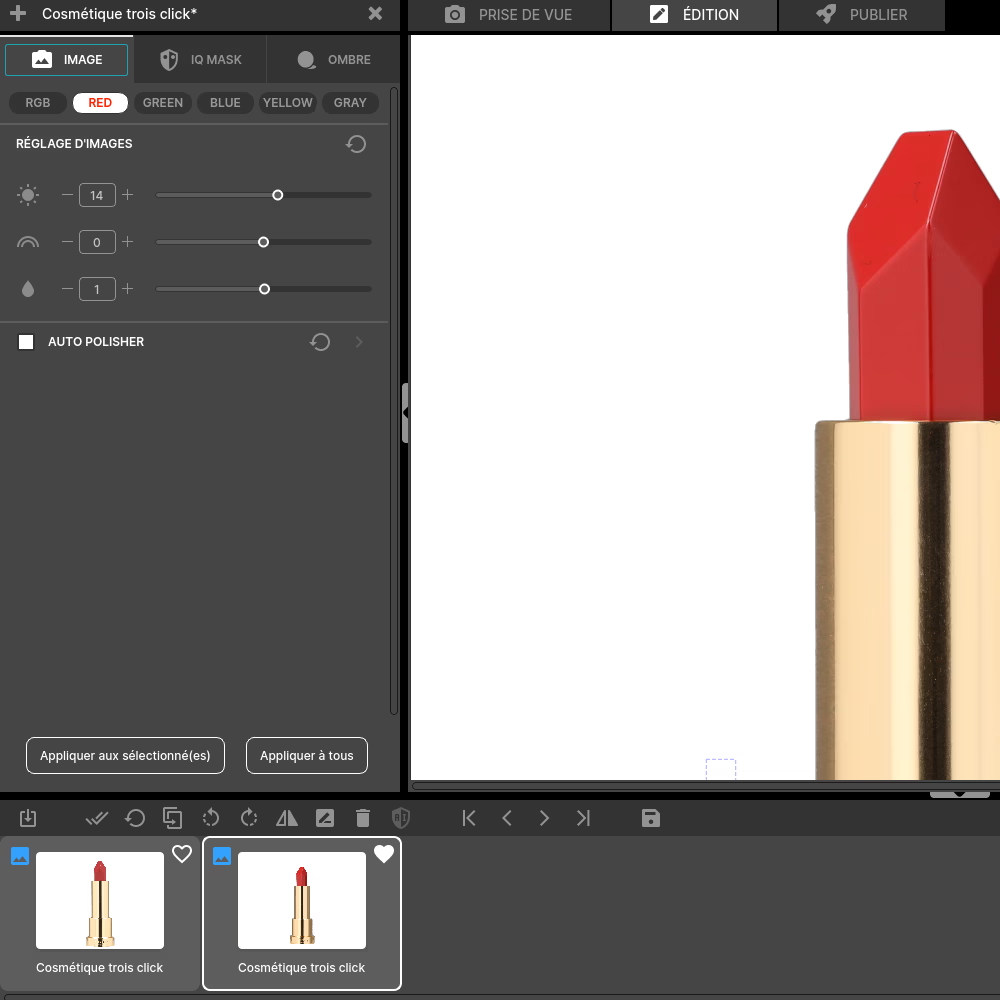
ActivateIQ Mask and it will automatically remove the background, while respecting predefined settings for colors, brightness, and shadows.
Once the photo is taken, you can make adjustments directly from the software. 💻
Integrated post-production tools, such as automatic cropping or color optimization, allow you to finalize your visuals without the need to go through third party software. 🎨
Remember to save your edits in a template to reuse them on other photos.
Create a ghost image for the same positioning
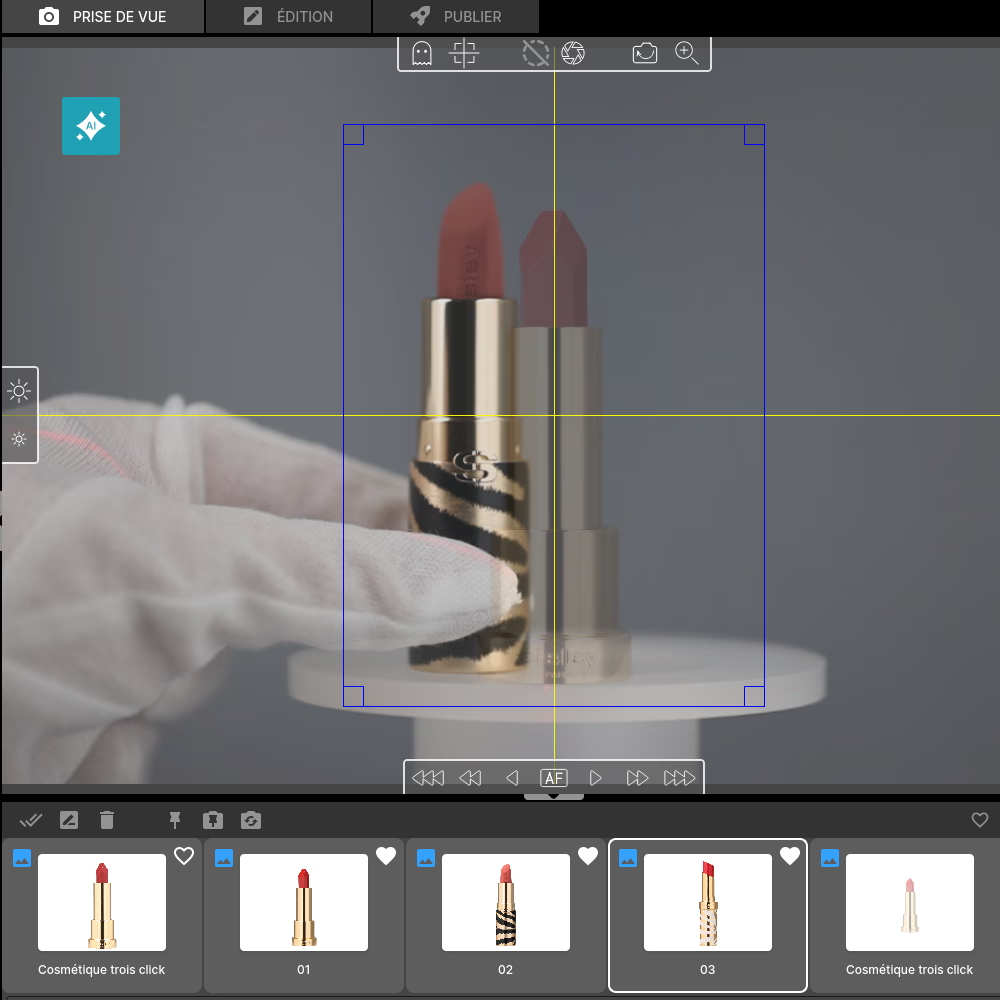
To ensure the same consistency across the following products, use the ghost image feature. 👻
This process involves superimposing a semi-transparent image of your first lipstick onto the interface in real time. So you can position your second product in exactly the same place. 📍
Reproduce the position with another product
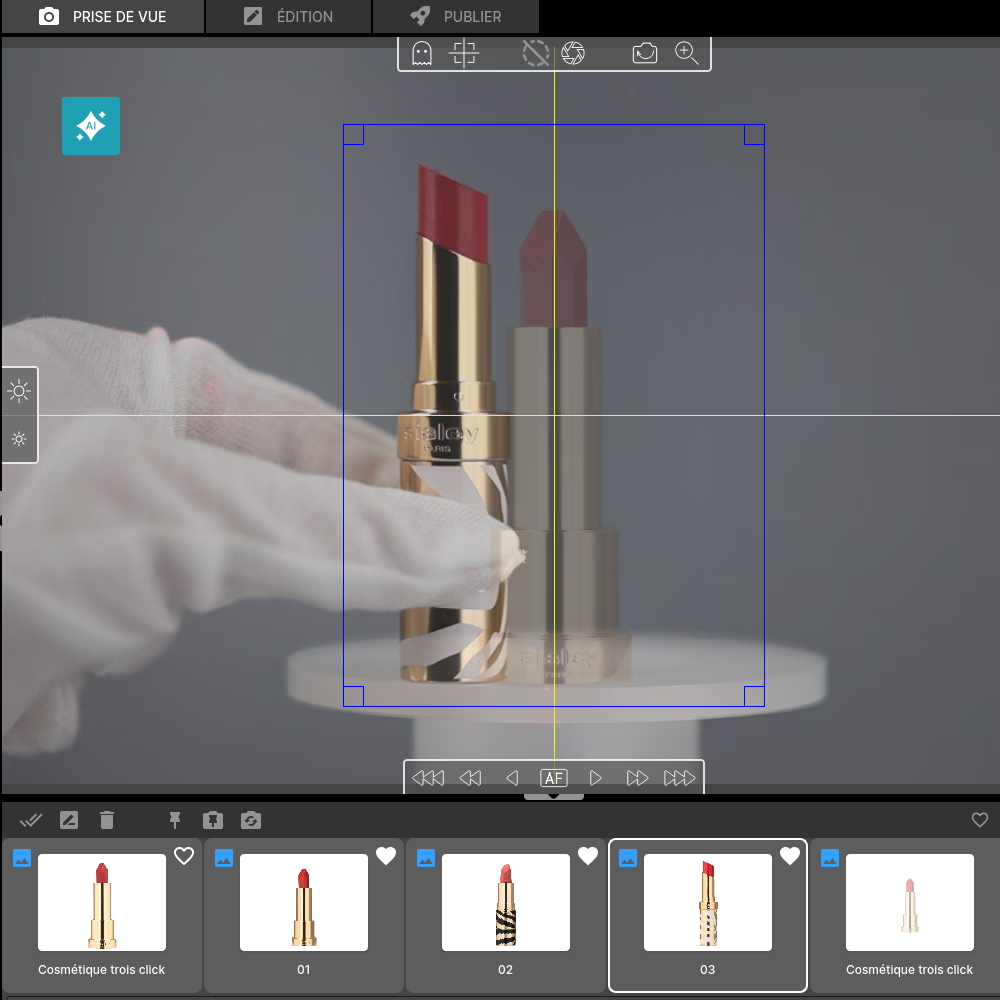
Use the same method for all of your products. Thanks to the phantom image, repositioning the product becomes intuitive. 💄
Once in place, repeat the previous process: shooting, removing the background, and optimizing using automated tools.
Final edits and export
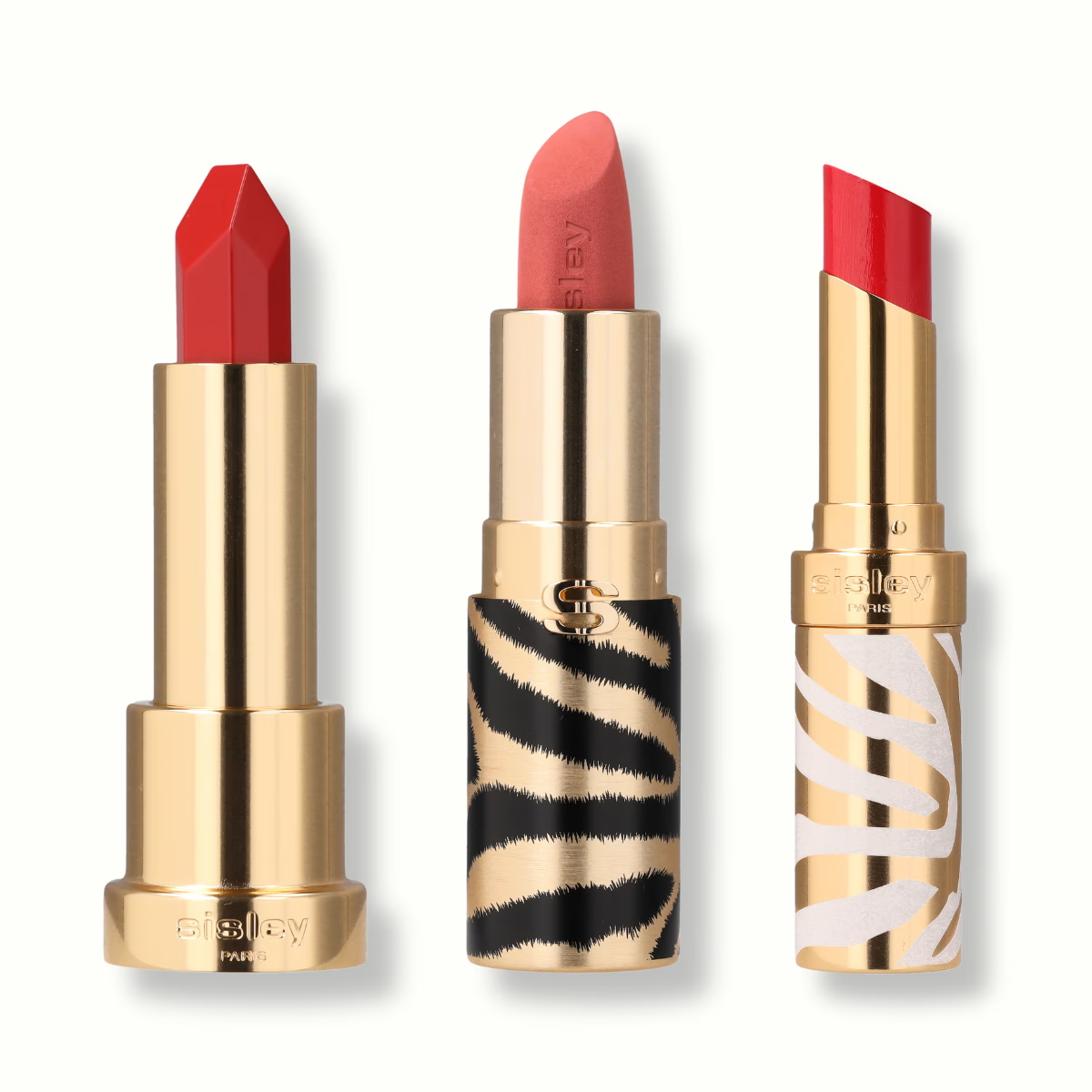
Once all the photos have been captured, move on to the final editing. Orbitvu Station allows you to group visuals together and make adjustments in batches. 🎨
In addition, thanks to the integration of Orbitvu with tools like Shopify or Magento, you can sync your business files directly to your online store. 💻
By following these steps, you will get a flawless end result for your collection. In our example with three lipsticks, the visuals share the same light, the same positioning, and a consistent aesthetic. 💄
In this tutorial, discover how to highlight the texture of your lipstick through a packshot.
Frequently asked questions
What is the added value of AI for photographing a range of products?
What is the impact on a brand's return on investment (ROI)?
Can we integrate a bar code into the metadata for each visual in order to simplify logistics?
Do you need advanced photography skills to set up this standardized workflow?
What time savings can be expected by automating the production flow?
Need personalized guidance?
Our PackshotCreator experts are available to help optimize your product photography workflow.
Contact us